
We have all been there. You buy a brand-new smartphone, and the battery easily lasts a day and a half. But fast forward a year, and you find yourself frantically searching for a charger by 2:00 PM.
What happened?
While it is true that lithium-ion batteries naturally degrade over time, most users are unknowingly accelerating this process. Bad charging habits kill your phone’s lifespan faster than anything else. In this smartphone battery health guide, we will break down the 5 golden rules of battery maintenance to keep your device running like new for years.
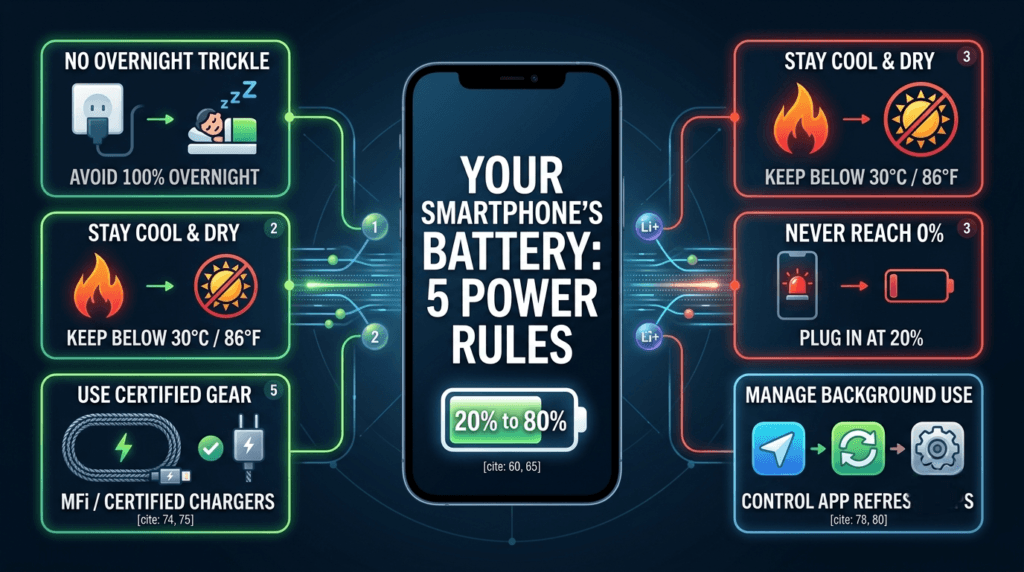
1. Stop Charging Your Phone to 100% Overnight
Leaving your phone plugged in while you sleep is incredibly convenient, but it is terrible for long-term battery health.
When your phone hits 100%, it receives a “trickle charge” to keep it topped off every time it drops to 99%. This constant electrical current keeps the battery under high voltage and stress. Think of it like a rubber band—if you keep stretching it to its absolute maximum limit for hours every night, it will eventually lose its elasticity.
The Golden Rule: Try to keep your phone’s battery level between 20% and 80%. This is the optimal “sweet spot” where lithium-ion batteries experience the least amount of internal stress.
2. Extreme Heat is the Ultimate Battery Killer
If there is one thing a smartphone battery hates more than high voltage, it is high temperature.
Batteries rely on delicate internal chemical reactions to store energy. When a phone gets too hot, those chemical reactions speed up uncontrollably, permanently degrading the battery’s capacity.
- What to avoid: Leaving your phone on a car dashboard under direct sunlight, or playing heavy 3D games while the phone is fast-charging.
- Pro Tip: If your phone feels hot to the touch while charging, take off its protective case. Many thick cases trap heat inside, baking the battery.
3. Don’t Let Your Phone Drop to 0%
Waiting until your phone completely dies before plugging it in is an old habit from the days of nickel-cadmium batteries. Modern lithium-ion batteries operate on “charging cycles.”
Allowing your battery to drop all the way to 0% drains its chemical potential entirely, putting immense mechanical strain on the battery cell when you finally power it back up. Ideally, you should plug your phone in as soon as it hits the 20% warning mark.
4. Use Certified Chargers and Cables
It is incredibly tempting to buy a cheap, generic charging brick or cable from a gas station. However, this is a dangerous gamble.
Official or certified chargers (like Apple’s MFi or reputable third-party brands) contain built-in microchips that regulate the flow of electricity. They automatically stop or slow down the current when the battery gets hot or full. Cheap, uncertified chargers lack these safety mechanisms. They can push unstable, fluctuating voltage directly into your phone, frying the battery controller.
5. Clean Up Your Background App Usage
Sometimes, the issue isn’t how you charge your phone, but how it drains. If your battery is constantly draining fast, it means it is undergoing more frequent charge cycles, which shortens its lifespan.
| Common Battery Drainers | How to Fix It |
|---|---|
| Location Services (GPS) | Change app settings to “Only While Using App.” |
| High Refresh Rates (120Hz) | Switch to dynamic or standard 60Hz mode. |
| Background App Refresh | Turn it off for apps that don’t need real-time updates. |
To ensure your tech stays in perfect shape, don’t miss our previous article on Water-Resistant vs. Waterproof Tech: The Splash-Proof Guide You Actually Need